Make Sense of Logic Pro
New to Logic and need to learn it quickly? Good with Logic, but want to learn advanced features? I’ve used Logic nearly every day since 1994 for the creation of my own music, sound design, mixing, mastering and for helping others reach their musical goals. I’ve shown Logic Pro to visitors of NAMM, Remix Hotel, & Macworld for Apple Inc. I also teach a class on electronic music production through Logic Pro Help, and contribute to macProVideo's Hub tutorial blog (here's an mPV page containing all my articles).
In addition to Logic Pro, I also teach Main Stage, Garage Band, and dozens of third party Audio Unit plug-ins. I have a list of third party plug-ins I use on my Mixing & Mastering site Vectorsound. You can see the list by clicking here.


Schedule a Session
"I know what it takes to facilitate a great learning experience. I've taught thousands of hours of sessions specifically on Logic Pro. - Darren B"
You can schedule me for local (Los Angeles/Orange County) in-house logic consulting and training. Sessions can be taught as an hourly "learn as you go" open method, for technical sessions (2 hour minimum), or you can learn with any of the curriculum based topics below. Sessions can also be held here in my Long Beach CA based studio. Click the "Schedule" tab above to see available times and pricing.
Live Online Training
Not in the LA or OC area? I'm also available for phone support and/or iChat, Messages and Skype screen sharing. If you have an AIM, Gmail, or Skype account, we simply schedule a time and I “meet” you in the comfort of your own house. This enables a perfect 2 way voice connection, and --when temporarily granted by you during the session-- I can see your computer as if it were my own. I'm literally teaching you on YOUR computer. We can even both control the pointer. I've made a tutorial on the support page that shows how to easy iChat/Messages is to set up with AIM or Gmail.
Curriculum Based Learning
- NEW Logic 1-on-1 101 (12 hour course) - 4 three hour sessions
- Crash Course 101 (3 hour course)
- Recording (2 hour course)
- Mixing (3 hour course)
- Mastering (3 hour course)
- Synthesis (3 hour course)
- Sampling (2 hour course)
- Dance Music (14 hour course through Logic Pro Help)

Videos and Apps
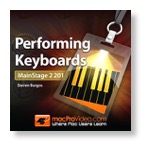
Looking for help with MainStage? My new 2 hour video tutorial for keyboardists is available now from macProVideo. It's also available as an App from the Mac App Store. Here's links to the free QuickLook Guide, and the to the full Performing Keyboards apps. Also check out my article in the free iPad iBook from macProVideo called Logic Pro Beat Production Tips 1.

Logic based Audio Engineering